Beyond the editor: How Unity’s 3D Data Engine powers enterprise 3D data infrastructure

Most enterprises know Unity as a real-time 3D engine. But Unity also operates as a full-stack data infrastructure platform that automates repetitive 3D workflows, centralizes asset management across teams, and enforces the governance standards that large organizations require. This guide breaks down how three interconnected Unity products, Asset Manager, Asset Transformer, and Pipeline Automation work together to solve the most persistent data infrastructure challenges in mid-market and enterprise 3D programs, and what that architecture looks like in practice.
Key takeaways
- Unity's enterprise 3D data infrastructure spans three products: Asset Manager, Asset Transformer, and Pipeline Automation.
- Unity Asset Transformer supports 70+ file formats and can reduce CAD processing time from days to hours, as demonstrated by automotive supplier Autoliv.
- Pipeline Automation enables event-triggered and scheduled pipelines that run without manual intervention, reducing repetitive prep work at scale.
- Unity Asset Manager provides a single source of truth for 3D assets, with RBAC, VPC deployment, and integration with the Unity Editor.
The real problem: 3D data without infrastructure
Enterprise 3D programs scale fast and break faster. A team that starts with a dozen engineers sharing files over cloud storage runs into problems that no single tool is designed to fix: Divergent workflows built for siloed tasks don’t connect, leaving the customer to link them manually. This creates hours of manual processing work that nobody wants to own.
These are not tooling failures. They are infrastructure failures. The organization never built the connective tissue between the tools it already uses.
That is the problem Unity's data solutions are designed to address. Rather than replacing existing software, these products integrate into the workflows teams already run and layer in the automation, centralization, and governance that makes 3D programs scalable.
Chapter 1: Rethinking Unity's role in the enterprise
Many assume Unity is only the Unity Editor. For enterprises evaluating 3D data infrastructure, that assumption is worth revising.
Unity offers three products that operate independently of the Editor and together form a coherent 3D data layer:
Each product addresses a distinct layer of the 3D data stack. Together, they eliminate the most common sources of friction in enterprise 3D programs: format chaos, asset sprawl, manual processing bottlenecks, and governance gaps.
All products are engine-agnostic. Teams using Unreal, Blender, Maya, or proprietary visualization tools can integrate them without adopting the Unity Editor.
Chapter 2: Eliminating repetitive 3D work at enterprise scale
Repetitive and duplicated file prep is one of the largest hidden costs in enterprise 3D programs. Engineers spend hours converting CAD formats, optimizing models for different platforms, and re-exporting assets every time a downstream team needs a different format. This work is time-consuming, and can automate most of it.
How Unity Asset Transformer handles data preparation
Unity Asset Transformer (formerly Pixyz) is a suite of tools designed to ingest, optimize, and convert 3D, CAD, BIM, and point cloud data for real-time applications. It supports 70+ file formats, including CATIA, STEP, JT, IFC, NWD, USD, and glTF, and handles the conversion from parametric CAD data (BRep/NURBS) to the triangle-mesh geometry that real-time engines require.
The suite includes three tools, each suited to a different workflow:
Asset Transformer Studio is a standalone desktop application with a visual interface for manually preparing and decimating complex models. It operates independently of the Unity Editor and can export to FBX, glTF, OBJ, and other formats compatible with any real-time engine. It is best suited for teams that need visual, hands-on control over individual large assemblies.
Asset Transformer Toolkit is a Unity Editor package included in Unity Industry that applies a rule-based processing system (the Rule Engine) to automate asset preparation. Teams define conditional logic; for example, "if a component's metadata matches a specific identifier, delete it; if a material type matches a pattern, replace it", and save those rule sets as reusable recipes for entire asset categories.
Asset Transformer SDK is a software development kit for Python and C# developers that enables headless, fully automated, server-side data pipelines. It offers scalable and accessible custom asset transformations via Pipeline Automation in the cloud. It can watch a folder for new file uploads, detect CAD files automatically, run predefined transformation recipes, and push processed assets directly into Unity Asset Manager.
How Pipeline Automation connects the workflow
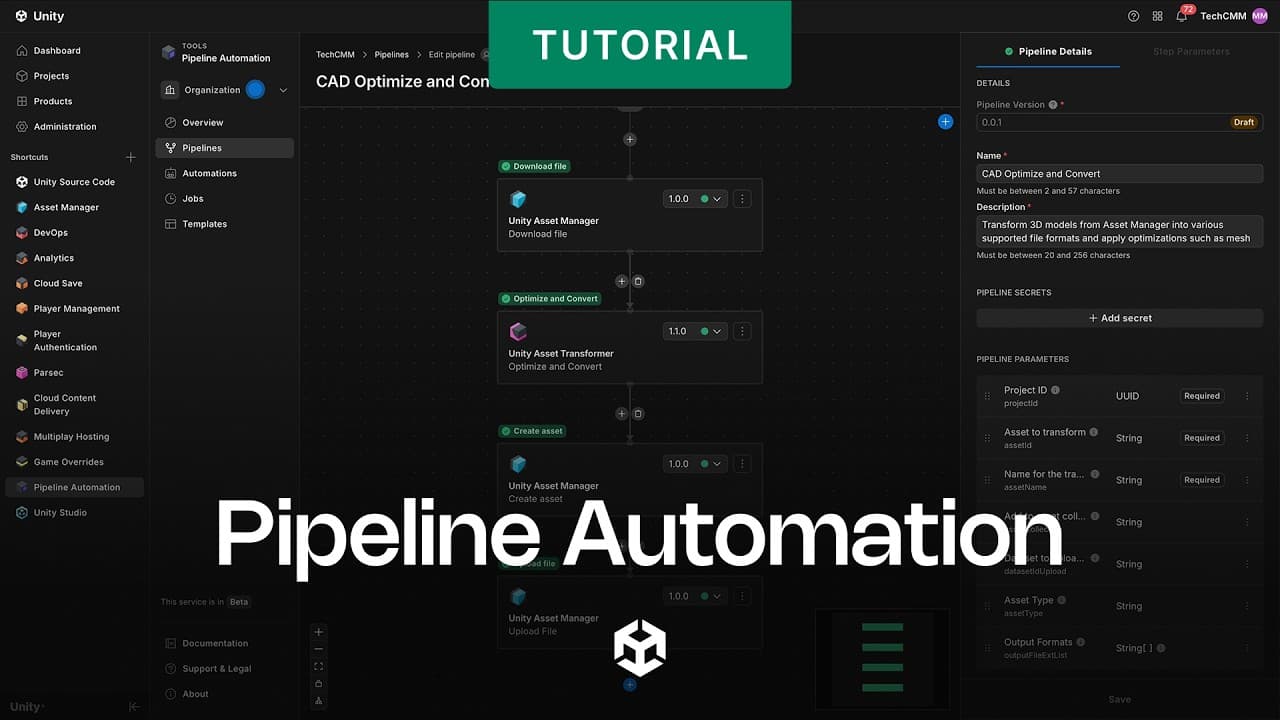
Pipeline Automation provides the orchestration layer that connects Asset Transformer, Asset Manager, Version Control, and third-party tools into automated end-to-end pipelines.
The core concepts are straightforward:
- Apps represent individual tools or services (such as Asset Transformer or Asset Manager) that expose actions and events to the pipeline system.
- Actions are discrete steps within a pipeline. For example, uploading a file to Asset Manager or triggering a transformation. Actions are versioned, so updates from app creators do not break existing pipelines.
- Events trigger pipelines automatically when something occurs in a connected app. A new asset uploaded to Asset Manager, for instance, can immediately trigger a transformation and optimization pipeline without any human input.
- Pipelines are sequences of steps structured as Directed Acyclic Graphs (DAGs), supporting sequential execution, parallel execution, or mixed patterns.
- Automations run pipelines on a schedule (using cron format) or in response to events. Automation bots, backed by service accounts with configurable org and project-level roles, handle execution without manual intervention.
Pipeline parameters make workflows reusable and flexible. A single pipeline that converts 3D models can accept a target format as a parameter, rather than requiring separate pipelines for each output type. Hardware profiles specifying CPU type, GPU type, and memory can be configured per step, ensuring resource allocation matches the complexity of each transformation.
For enterprises managing hundreds of assets across multiple teams and pipelines, this orchestration lets fewer engineers process more assets with less manual work.
Chapter 3: Centralizing 3D data with a single source of truth
Scattered storage undermines cross-functional 3D programs. When assets live in email threads, Slack attachments, shared drives, and siloed project folders, teams duplicate work, use outdated versions, and spend more time searching for files than using them.
What Unity Asset Manager provides
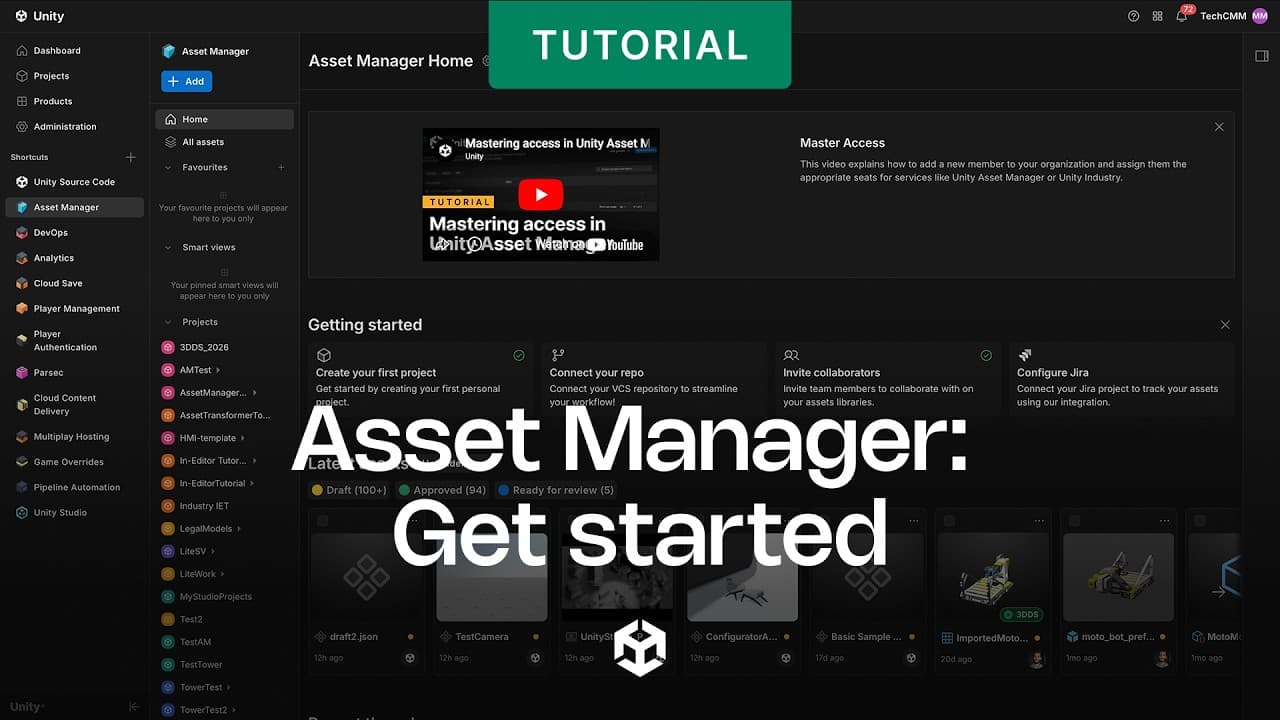
Unity Asset Manager is a cloud-based digital asset management (DAM) platform built specifically for real-time 3D assets. Unlike general-purpose DAMs designed for 2D media, Asset Manager handles the full complexity of industrial 3D data: large CAD assemblies, point clouds, BIM data, and multi-format source files.
Key capabilities include:
Asset discovery: Smart tagging, automated metadata generation, custom metadata fields, inline editing, and full-text search with filters make it possible to locate assets without browsing folder hierarchies. Auto-generated 3D thumbnails and in-app previews of large CAD files are included. The Unity Asset Manager plugin for the Unity Editor allows developers to search and import directly from within the Editor, without breaking their workflow.
Version history: Every asset maintains a complete version history, giving teams confidence that they are always working from the correct approved version. The Asset Manager for Unity Version Control integration automatically synchronizes any changes made through Version Control tools, preventing redundant content creation and keeping metadata current across both systems.
Transformation at ingest: The API and SDKs allow teams to build transformation pipelines that automatically convert or optimize assets on ingest. Support for 70+ file formats, combined with integration with Asset Transformer, means source assets can be made application-ready the moment they are uploaded.
3D streaming: Asset Manager can stream 3D content of any size and complexity across Windows Standalone, Android, macOS, iOS, web, and XR devices, enabling non-technical stakeholders to review and annotate assets directly in a browser without specialized software.
Storage flexibility: Assets can be stored in Unity Cloud's multi-tenant infrastructure, or organizations can deploy to a dedicated virtual private cloud on Azure or AWS, with integration with Identity Access Management (IAM) systems for enterprise-level security.
BMW Group uses Asset Manager as the basis of its custom asset management solution to manage 3D data across departments, simplify workflows, improve collaboration, and support innovation.
Chapter 4: Standardizing and governing 3D data at enterprise scale
Centralization without governance creates new problems. If every user can edit, overwrite, or delete assets without oversight, the single source of truth becomes unreliable. Enterprise programs require both broad accessibility and clear accountability.
Role-based access control (RBAC) in Unity Asset Manager
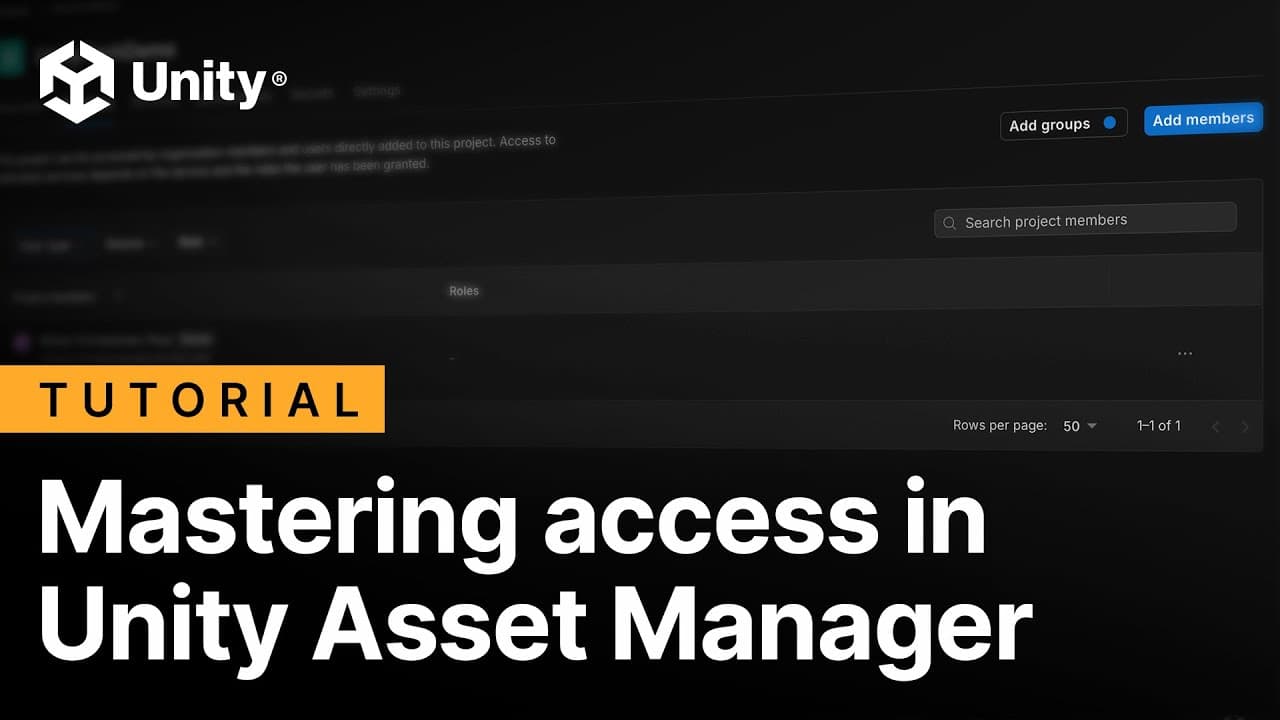
Unity Asset Manager's RBAC system operates at both the organization and project levels.
At the organization level, an Asset Manager Admin has full access to all projects and assets. At the project level, roles are more granular: Contributors can edit and upload; Consumers can download; Viewers can only browse. Organization Owners can invite users inside or outside the organization and assign roles accordingly.
This structure lets engineering leads share specific project libraries with manufacturing, marketing, or training teams without exposing the full asset catalog. Access expands as needed; control stays with the asset owners.
Pipeline Automation as a governance layer
Beyond automation, Pipeline Automation contributes to governance by enforcing process standards. Because pipelines are versioned and named, teams run consistent, documented workflows rather than ad-hoc scripts that vary between team members.
Automation Developers control who can create pipelines and automations. Service account bots, assigned appropriate org or project roles, execute scheduled and event-triggered pipelines under defined permission sets. Pipeline automation is covered in Unity’s SOC 2 Type 1 certification.
Chapter 5: A reference architecture for enterprise 3D data
Each of the three products addresses a specific layer of the 3D data stack. Together, they form an interconnected architecture with clear separation of concerns.
A representative workflow illustrates how these layers interact:
- A CAD engineer uploads a new assembly to a monitored folder.
- Asset Transformer SDK detects the new file, runs the configured transformation recipe (decimation, LOD generation, format conversion) - while maintaining the hierarchy, and pushes the processed asset to Asset Manager.
- Pipeline Automation, triggered by the "new asset created" event in Asset Manager, runs a downstream pipeline: generating 3D previews, applying metadata tags, and notifying reviewers.
- Reviewers access the asset in Asset Manager through a browser, annotate directly on the 3D model, and approve it.
At each stage, RBAC policies control who can access, edit, or approve assets. Pipeline versions ensure that updates to transformation logic do not silently break existing workflows.
This architecture is incrementally adoptable. Organizations do not need to deploy all three products simultaneously. Teams commonly start with Asset Manager and Asset Transformer, and add Pipeline Automation as workflow complexity grows.
Start building your 3D data foundation
The organizations that scale 3D programs effectively are not the ones with the most engineers. They invest in data infrastructure that lets fewer engineers do more. Automating ingestion and transformation, centralizing access with enforced governance, and connecting it all through orchestrated pipelines removes the bottlenecks that slow programs down and inflate costs.
Unity Asset Manager, Asset Transformer, and Pipeline Automation are built to work together from day one, but are flexible enough to adopt incrementally against your existing stack. The 30-day free trial of Unity Industry gives your team access to Asset Transformer Toolkit and the broader Unity Industry platform to evaluate these capabilities in the context of your own workflows.
Start your 30-day free trial of Unity Industry
For complex enterprise deployments, private cloud configuration, or large-scale licensing, contact a Unity Client Partner to discuss the architecture that fits your organization's requirements.
Frequently asked questions
Unity's enterprise 3D Data Engine is a set of three products - Asset Manager, Asset Transformer, and Pipeline Automation - designed for technical developers, 3D engineers, IT directors, and data engineering leads at mid-market and enterprise organizations. Together, these products automate 3D data preparation, centralize asset storage and discovery, and enforce governance standards across large-scale 3D programs.
Unity Asset Manager is built specifically for real-time 3D assets, whereas most DAMs are designed for 2D media. Asset Manager supports live 3D previews of large CAD assemblies, in-browser 3D streaming across devices, 70+ format ingest via integration with Asset Transformer, RBAC at both organization and project levels, and VPC deployment on Azure or AWS. These capabilities address the specific complexity of industrial 3D data that general-purpose DAMs are not designed to handle.
Use Asset Transformer Studio when your team needs a visual, interactive workflow for preparing individual complex assets, such as a large engine assembly, and when engine-agnostic export is a requirement. Use the Asset Transformer SDK when the goal is fully automated, headless pipeline processing: server-side services that watch for new files, transform them without human input, and push results directly into Asset Manager or another system. The Toolkit is the right choice for teams running rule-based, repeatable processing directly inside the Unity Editor.
All three products can be adopted incrementally. Organizations commonly begin with Asset Manager and Asset Transformer to address the most immediate pain points (format chaos and asset discovery), then add Pipeline Automation as orchestration needs grow. None of the products requires the others to function, though their combined value increases significantly when they are connected.
Pipeline Automation allows teams to define pipelines that trigger automatically based on events in connected apps (such as a new asset being uploaded to Asset Manager) or on a cron-based schedule. Because pipelines are versioned and parameterized, the same workflow can process hundreds of assets consistently without manual intervention. This eliminates repetitive, low-skill steps (file conversion, optimization, preview generation, metadata tagging) and frees engineers to focus on work that requires their expertise.


